
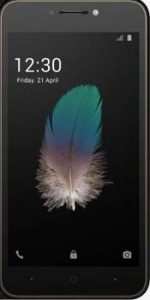
These are the instructions to Remove Itel A31 google account (Frp) using sp flash tool on Windows Computer.
Requirements: Your Itel A31 should have atleast 30-40 percent of battery.
PROCEDURE
Step 1: Download and Install MediaTek USB VCOM Drivers on your computer. If MediaTek USB VCOM Drivers already installed on your computer then Skip this Step.

Step 2: Downloadand extract the Frp Reset files on your computer.
Step 3: Now, Switch off your Device.


Step 5: Now open Flash tool

Step 6: Click on choose


Step 7: Select the Frp Reset file (you have downloaded in step#2).
Step 8: Click on the Download button
Step 9: Connect your phone with USB cable to complete the Itel A31 google account (Frp) removal process. Once completed, you will be able to see a Green Box with Download ok
Step 10: Once you see, the Download ok message in Flash tool, you can disconnect your Device from the computer then Power On your device.
PLEASE DROP A COMMENT IF FACING ANY CHALLENGES
HOW TO REMOVE/BYPASS FRP ON ITEL A31 (USING SP FLASHTOOL)
![HOW TO REMOVE/BYPASS FRP ON ITEL A31 (USING SP FLASHTOOL)]() Reviewed by dhtechking
on
11:47
Rating:
Reviewed by dhtechking
on
11:47
Rating:
it works. thanks 100%
ReplyDelete